PTO tracking for Google Workspace teams that live in Slack.
Stop chasing down requests, digging through spreadsheets, and guessing who's out this week. PTOFlow handles it all — requests, approvals, calendars, and Slack — in one tidy place.
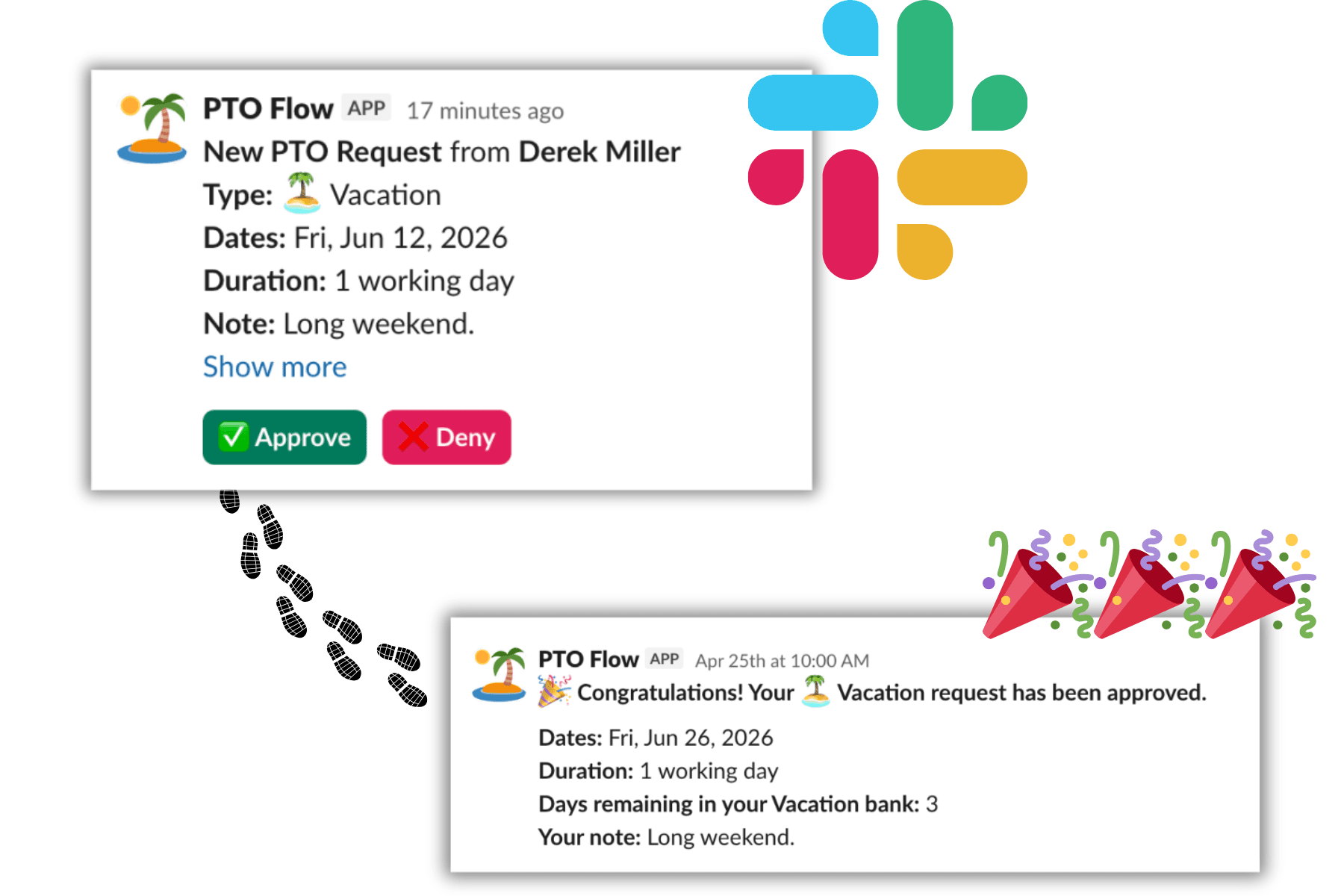
From request to approved in two clicks.
Employees submit a request. Managers get notified. One click to approve or decline. No email chains, no sticky notes, no “did you see my PTO request?” messages.
- ✓Customizable PTO categories (Vacation, Sick, Mental health, and more)
- ✓Auto-approve categories that don't need manager sign-off
- ✓Bank tracking so no one accidentally takes too much
- ✓Automatic prorating for new hires mid-year
PTOFlow
Slack · #pto-requests
🏝️ Sarah Chen has requested 8 days of Vacation (Dec 23 – Jan 3).
Request approved!
Sarah, your Vacation request for Dec 23 – Jan 3 has been approved. Enjoy the break!
Sarah's PTO Balance — Updated automatically
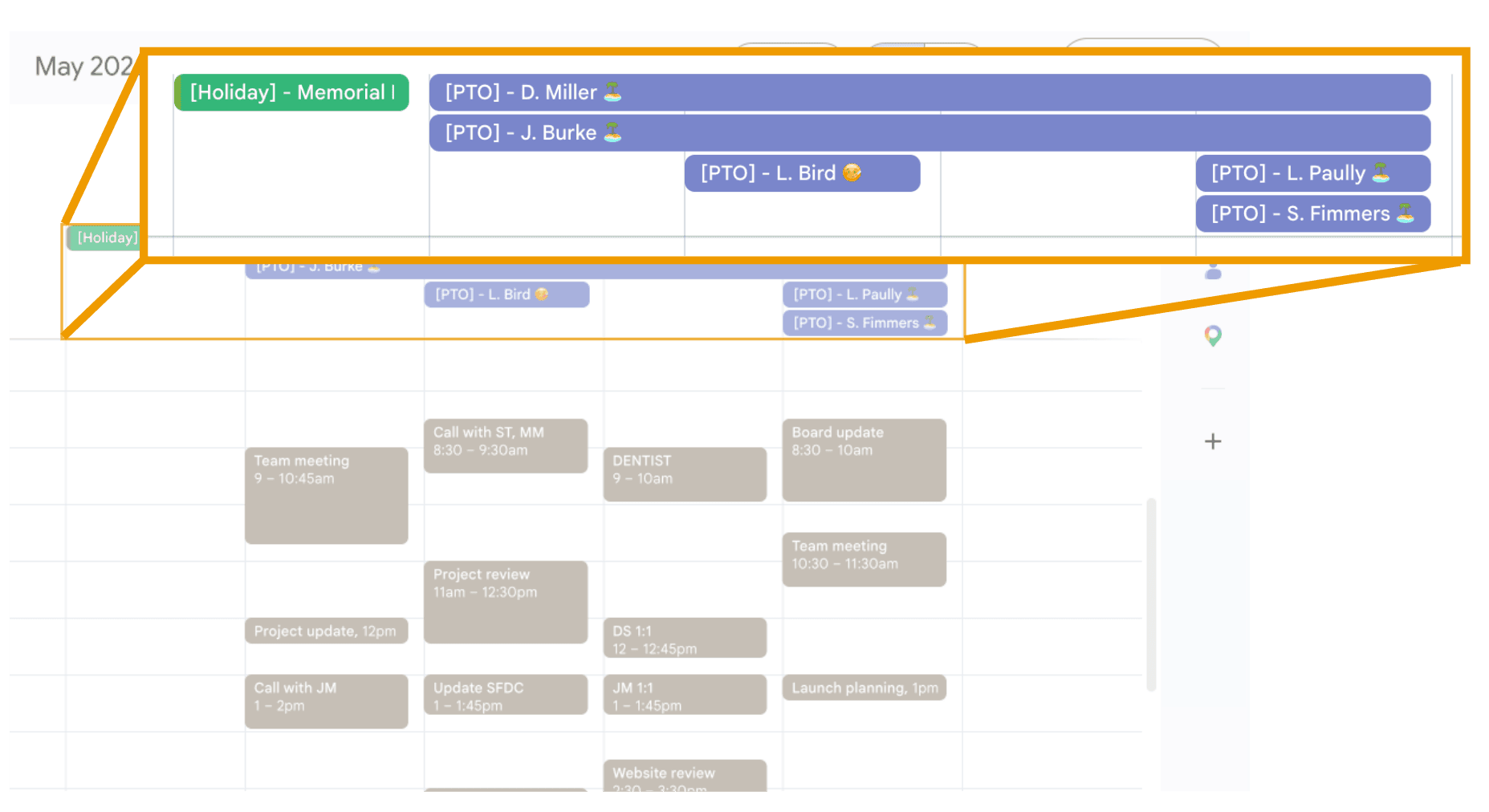
Everyone always knows who's out.
The moment a request is approved, it lands on your team's shared Google Calendar — automatically. No manual updates. No outdated spreadsheets. No more “wait, I didn't know you were going to be out that week.”
- Per-team and all-company shared calendars
- Out of Office events block meeting invitations automatically
- Synced instantly when PTO is approved or cancelled
- Visible to everyone on the team, right in Google Calendar

Approve PTO without leaving Slack. Seriously.
Requests show up as Slack messages. Managers tap Approve or Decline. Done. Employees can also check their balances, submit new requests, and see pending approvals — all from Slack commands.
- ✓/pto request — submit a request without opening a browser
- ✓/pto status — see your remaining balance instantly
- ✓/pto today — see who on your team is out today
- ✓/pto pending — managers see their full approval queue
- ✓All notifications delivered via Slack DM
/pto request
New PTO request from Sarah Chen
Type: 🏝️ Vacation
Dates: Dec 23 – Jan 3 (8 working days)
Note: Holiday family trip
Up and running in under 10 minutes.
Onboarding walks you through everything. No IT department required.
Set up your org
Add your company holidays, PTO categories, and teams. We pre-fill the common stuff so you're not starting from scratch.
Invite your team
Import employees directly from Google Workspace or add them manually. Everyone gets an email invite to sign in with Google SSO.
Let PTOFlow run
Requests, approvals, calendar syncs, and Slack notifications all happen automatically. You just show up and manage.
Your team's PTO, finally under control.
Join teams that have replaced their PTO chaos with PTOFlow. Free for 14 days — no credit card needed, no lengthy setup.
Start your free trialNo credit card required · Cancel any time